

Platform walkthrough
Configure your account end-to-end in app.hollr.ai, from agent setup to conversation review
Everything an agent needs to run — its persona, its knowledge, the number it dials from, and the calls it places — is configured in the HollrAI dashboard at app.hollr.ai. This section walks through each page in the order most accounts move through it, so you can go from a blank workspace to a live, callable agent.
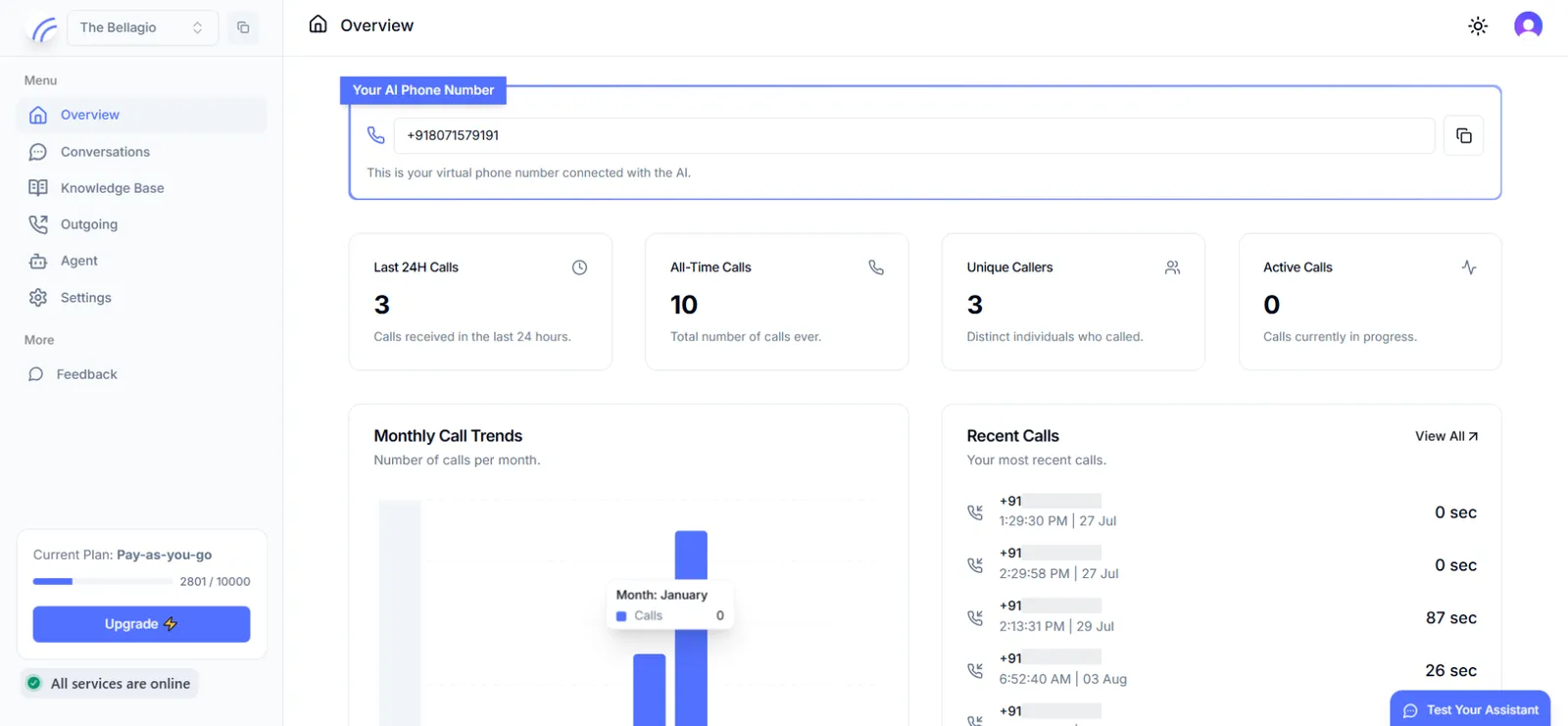
This section documents the dashboard UI. If you’re integrating programmatically instead, the Core concepts pages cover the equivalent API workflows for triggering calls and reading conversation data.
The configuration path
Build the agent
Define your agent’s identity, conversational behavior, call-handling rules, and the structured data it should capture during a call.
Add a knowledge base (optional)
If your agent needs to answer from your own content — a product catalog, a policy document, a site’s worth of FAQs — index it here. Skip this step for agents that only need their system prompt.
Complete compliance and provision a number
Verify your account and acquire the virtual phone number your agent will call from or receive calls on.
Place calls
For outbound use cases, trigger individual calls or launch batches from the dashboard. For inbound use cases, enable inbound calling on your provisioned number instead.