

Outgoing
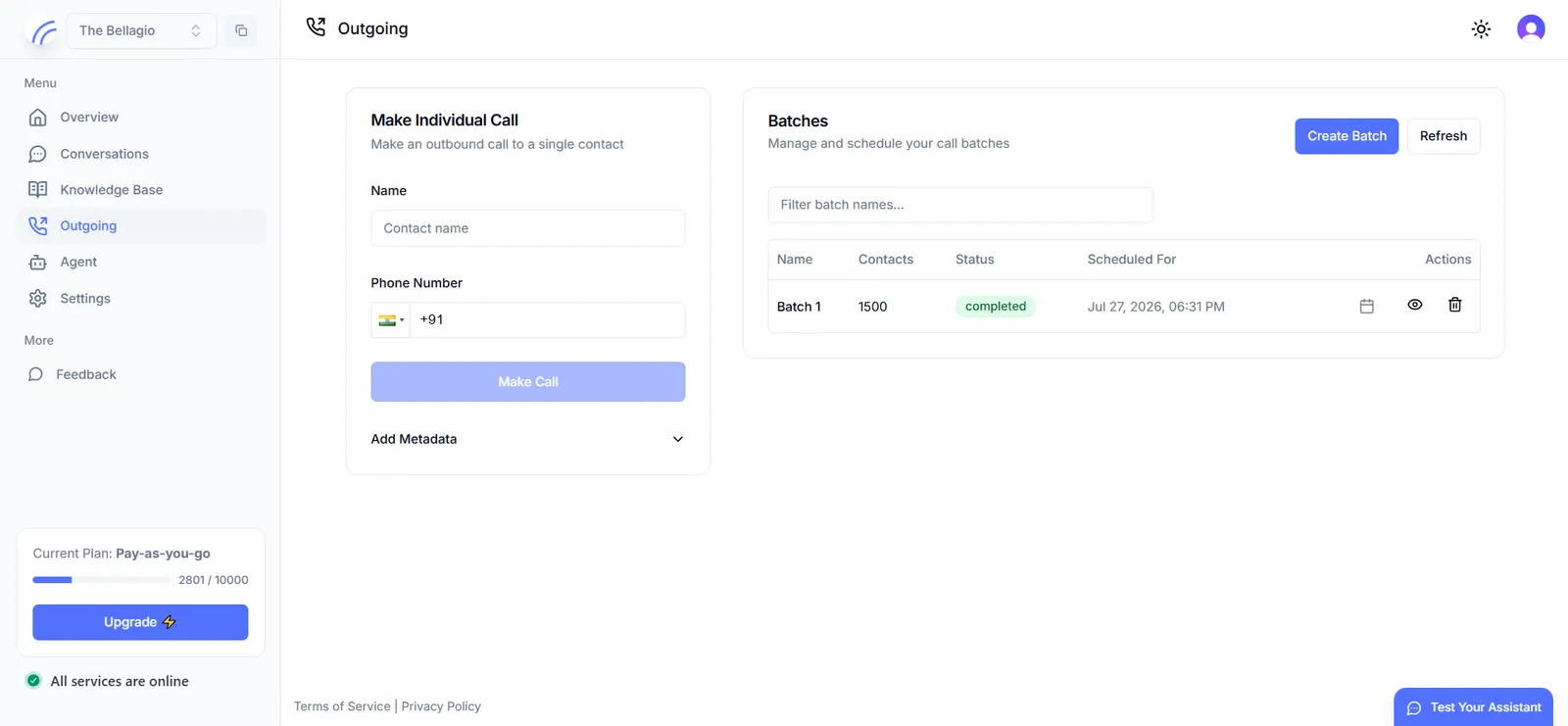
The Outgoing page, at app.hollr.ai/batches, is where outbound calls are placed from the dashboard. It offers two workflows side by side: a single-contact call, and a batch of calls against a contact list.
This page mirrors the Calls API and Batches API. Use the dashboard for one-off or manually triggered calls, and the API when your application needs to trigger calls programmatically — for example, in response to an event in your own system.
Make Individual Call
Enter a contact name and phone number, optionally expand Add Metadata to attach arbitrary key-value data to the call request, and select Make Call to place the call immediately.
Batches
The Batches panel manages calling batches against a full contact list:
- Select Create Batch and give the batch a name.
- Upload a CSV of contacts and map its columns to the expected contact fields.
- Choose to run the batch immediately, or schedule it for a later time.
Every batch appears in the table with its contact count, current status, and scheduled time, along with actions to view, reschedule, or delete it.