

Settings
The Settings page, at app.hollr.ai/settings, is where an account is verified and where virtual phone numbers are provisioned. It’s organized into four tabs: Phone, Compliance, Other, and Call-back Page.
Compliance
Before any number can be purchased, the account’s compliance information must be submitted and verified. This includes uploading registration certificates and other supporting documentation. Verification is a prerequisite specifically for purchasing Indian numbers — the Phone tab will not allow a purchase to proceed until compliance is approved.
Phone
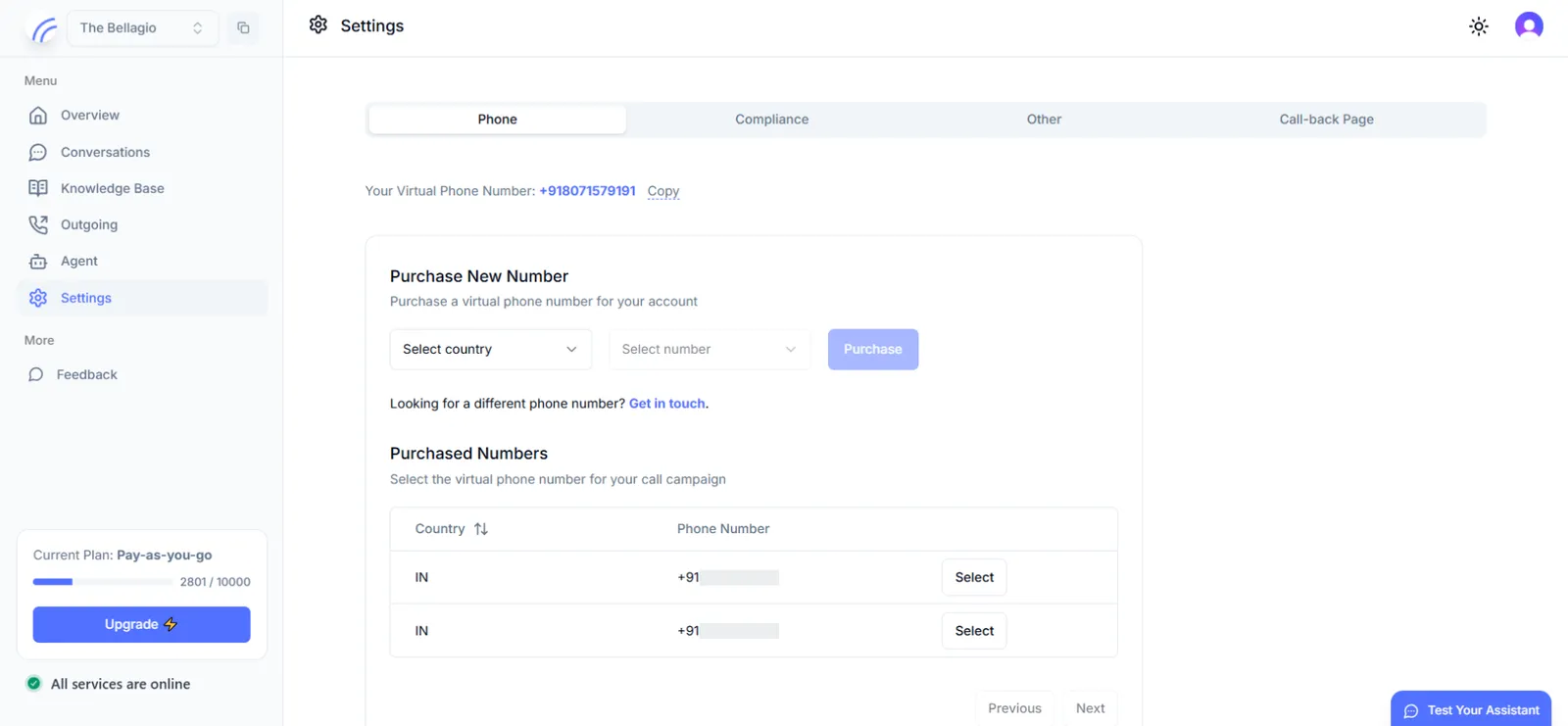
Once compliance is verified, the Phone tab is where numbers are actually provisioned:
- Purchase New Number — filter by country and select from the available number inventory to purchase a virtual phone number for the account.
- Purchased Numbers — a table of every number already provisioned to the account, with a Select action per row to make a given number the active number for a campaign.
Other
The Other tab is where inbound calling is enabled. If your use case involves receiving calls rather than placing them, this is where you turn that capability on for the account’s active number.
Call-back Page
The Call-back Page tab holds configuration for callback-based calling workflows.
Next step
Where you go from here depends on the calling direction your use case needs: